





Building an online store can feel daunting, but with the right tools, it's easy to start selling online. Whether you're a seasoned retailer or chasing your first sale, creating a store is the best way to reach customers and make a digital home for your brand.
This guide breaks down exactly how to create a store that attracts customers and builds your brand.
To start an online store right now using Shopify, begin a free trial by following this startup guide.
How to start an online store
- Find a target audience
- Source your products
- Choose a commerce platform
- Design your brand
- Register your business
- Build your store
- Set up your checkout and shipping
- Make your store live
- Market your products and brand
- Optimize your store
1. Find a target audience

A target audience is the group of people who are most likely to buy your products.
Knowing exactly who you're selling to will guide every decision as you build your store. It helps you find customers in the right places, create content that resonates, and design an experience that converts browsers into buyers.
A store built with a clear audience in mind is more likely to attract shoppers and generate sales than one trying to appeal to everyone.
You can target an audience of any size or attribute. However, there are three main categories to consider:
- Demographic: Your audience's age, gender, occupation, education, income, and other characteristics.
- Location: The regions where your audience lives.
- Interests: The hobbies, beliefs, lifestyles, and other psychographic qualities of your audience.
Compile these types of information about your audience into a buyer persona. This data-generated profile of your ideal customer will help you keep your audience in mind as you design webpages, write product descriptions, and create ads.
How to find your store's audience: Discover your niche
As a new online store, you'll likely be competing for attention with established rivals. One way to side-step competitors is by catering to a niche.
Niche markets are segments of an audience defined by specific needs. For example, running shoes are a niche within the general footwear market. Trail running shoes represent a more specific niche for customers who need a certain type of running shoe.
Niches become increasingly specialized wherever there is market demand: you might sell waterproof trail running shoes, waterproof trail running shoes for snowy conditions, and so on.
If you're planning to start an online store within a saturated industry, consider "niching down" until you find an audience in need of a go-to shopping destination.
2. Source your products

Finding the right products to sell is the most impactful step in launching your online store. If you already know your target audience, you're ahead of the game. The internet, along with your social and work networks, are treasure troves of consumer insights, helping identify products your audience won't be able to resist.
Pick a few of these strategies to help discover products that could become bestsellers:
- Engage with enthusiasts and hobbyists to learn about their challenges and the latest products they're excited about.
- Leverage your personal passions and interests to understand what products will appeal to like-minded niche audiences.
- Monitor product trends to predict and stock the next popular item.
- Analyze what's selling on major marketplaces to identify products that have sold strongly for years.
Once you have an idea of the type of products you want to sell, the next step is to source them. Here are some common product sourcing methods:
- Craft your products: If you have skills like woodworking or illustration, you might be able to create handmade products. This can attract customers looking for unique, bespoke, or luxury items.
- Buy products from wholesalers: Purchasing inventory from wholesalers gives you control over stock and ensures a steady supply of products.
- Manufacture products: Work with a manufacturer to produce original items or private-label products.
- Source products from a supplier network: Platforms like Collective make it simple to find popular products from vetted suppliers, then forward customer orders for fulfillment.
- Print products on demand: Print on demand is the act of customizing products with your designs. Print-on-demand services handle production and shipping.
How to source products for your store: Try dropshipping
Buying and storing inventory is only one way to manage your products. Other options include dropshipping—a retail model where the product supplier packages and ships orders on your behalf.
With dropshipping, you can sell a wide array of items in your store without needing to buy or store them. Once you receive an order, simply forward it to your product supplier for fulfillment.
3. Choose a commerce platform

An ecommerce platform is where you build and manage your online store. It's the command center of your business—the place you'll go to oversee your website, list new products, and process orders.
Popular commerce platforms include:
- Shopify
- Wix
- WooCommerce
- BigCommerce
Compare commerce platforms to find the right software for you.
Most commerce platforms include a store builder, which helps you create a branded storefront with product pages, a shopping cart, and a checkout. Store builders often have drag-and-drop interfaces, making it simple to customize your site without needing to code. When comparing store builders, keep these features in mind:
- Ease of use: It should be straightforward and intuitive, allowing you to build your store confidently.
- Design options: Look for a variety of free and premium themes that are pre-built for your industry or niche.
- AI assistance: Features like Shopify's AI can help streamline content creation.
- Flexibility for growth: Ensure there are options for custom coding and advanced designs later on.
- Free trial: A free trial is a good way to try a store builder without needing to commit.
How to choose the right commerce platform: Look beyond the storefront
Store builders are just one part of a commerce platform. Depending on the software you choose, you'll also be able to manage other tasks, like:
- Hosting your website
- Analyzing store data and customer behavior
- Shipping orders
- Running marketing campaigns
- Selling at physical retail locations
Consider all these features when choosing your platform, even if you don't need them right now. Picking a fully featured platform means you won't need to deal with the hassle of switching platforms at a later stage.
Find out more about the commerce tools and features that come with a Shopify subscription.
4. Design your brand

To give your store a consistent and professional feel, you'll need to consider branding. It's not just about a logo or a color scheme; branding is about creating an identity that resonates through your images and content.
How to create a store brand: Mission, name, logo, and photos
Create the following brand assets to use throughout your online store:
Brand values and mission
Decide what your brand stands for—its purpose, your unique selling proposition, and your promise to customers. These brand values will influence the look and feel of your store, informing design and color choices as well as the tone of your brand voice.
Store name
Whether you use your own name, an evocative term, or a literal description of what you sell, your store name is often the first touchpoint a customer has with your brand. If you need inspiration, try this free domain name generator to produce on-brand suggestions and see which name ideas are available as domain addresses.
Logo
A logo is a visual shorthand for your brand that lives across a wide variety of surfaces, from your store to the shelves of other retailers.
Lifestyle and product photos
Photos help illustrate the features and quality of your products, but can also help customers see how your product might complement their lifestyle. Use lifestyle photos to tell an aspirational story.
It's easy to take product photos with a smartphone camera. For a professional finish, edit your photos using AI to generate on-brand background scenes.
5. Register your business

Depending on your location, the products you sell, and how you plan to operate, you may need to register your store with state and federal governments, as well as industry-specific bodies. Making your store an official entity can help protect your assets and enhance your credibility with customers.
Before diving into paperwork, assess what types of registration (if any) apply to your situation. If you're a sole proprietor doing business under your own name, you may not need any type of legal registration.
Check with your city or county about permits or licenses for selling products. Online stores may need a business license or home business permit. Other types of registration include:
- A tax ID number for paying federal and state taxes
- Trademarks to protect your business or product names
- Tax-exempt status for nonprofits
To help understand what requirements might apply to your business, set out your aims in a business plan.
How to register: Choose a business structure
Not everyone needs a formal business structure, but understanding the options can help you make the best choice for your online store:
- Sole proprietorship: This is the simplest structure, ideal for a one-person operation. There's no separation between personal and business assets, which means straightforward taxation but more personal risk.
- Partnership: Partners contribute resources like money, property, or skills and share profits and responsibilities. Partnerships are governed by an agreement to outline roles and shares.
- LLC (limited liability company): An LLC can protect your personal assets by legally separating them from any business debts.
- Corporation: This structure is for businesses planning to go public or seek extensive outside funding. Corporations offer strong protection but are more complex and costly to set up.
6. Build your store

With your target audience defined, products sourced, and brand developed, it's time to bring everything together in your online store.
How to build a store: Basic info, products, informational pages
Follow these initial steps to create a functional ecommerce website that lets customers browse and buy:
Set up basic store information
Start with the basics. Fill out your store's essential information as prompted by your ecommerce platform. Here's what to tackle first:
- Domain address: If you haven't already, purchase a domain that matches your store name and configure it in your platform's settings.
- Template or theme: If your store builder uses pre-built templates, pick one that matches your desired site design. Look for features like parallax scrolling or display boxes.
- Navigation: Create menus that link to essential pages, and consider sidebar or footer navigation for additional links. If your store has many pages, add a search bar.
- Logo: Place your logo across your store and don't forget to update the favicon.
- Design elements: Colors and typography help express your brand. Customize these in your theme settings to match your brand guidelines. Use contrast to highlight buttons and limit font choices to two or three across your site.
Add your first products
Find the "Add a product" section of your platform to input all the content, assets, and details about your products.
Product descriptions
Product titles must be clear and descriptive to help shoppers and search engines identify your products.
Product descriptions are an opportunity to speak directly to your target audience in a voice they recognize, telling them why a product will improve their lives. When writing product descriptions, remember to:
- Consider who you're speaking to (their language and knowledge level)
- Highlight key features using icons, illustrations, or bullet points
- Anticipate customer questions and act as a stand-in for their eyes and hands
Photos and media
Upload high-quality product photos in a consistent style and aspect ratio. Also consider videos, animations, or 3D models.
Use images to help customers imagine owning your product. Alongside product detail images, add lifestyle images that show your products in action.
In the image above, you can see how ReFramed uses product shots on plain backgrounds to show every detail without distraction. Further down the page, customers can also see lifestyle photos that help them envision the brand's bed frames within the context of their own lives:

For product categories where customers might need more visual information, such as clothing or jewelry, use multiple photos that offer additional angles and details.
Product information
The next essential product data to add to your store is pricing. Set your prices by considering your costs as well as perceived value and competitor prices. As your store evolves, adjust your pricing strategy based on customer data and feedback.
Beyond price, add other product information to help you and customers navigate your catalog:
- Product specifications (materials, dimensions, and manufacturing processes)
- Product categories (e.g., men's shirts and pants)
- Product variants (quantity, color, and size)
- Inventory details like stock keeping units and barcode information
- Tax settings
- Product tags and collections to organize products for specific audiences or sale events
Create informational pages
Beyond products, your store needs informational content to build trust, tell your brand story, answer common questions, and let customers know how to reach you.
Before you launch your store, create the following pages:
- Homepage: Design your homepage to help first-time visitors easily understand what you sell, while also helping returning visitors resume shopping. Remember to optimize for mobile viewing.
- Contact page: Your Contact page should make support accessible with contact details, a form, and options like live chat.
- About page: Use your About page to connect personally with customers. Include videos introducing yourself, images that explain your supply chain, and links to press mentions.
- Policy pages: This page states your commitments for returns, shipping, and privacy. Policies help customers buy with confidence but also protect you during customer disputes.
- FAQ page: An FAQ page gives fast answers to common consumer questions. You might choose to incorporate FAQs into your product and policy pages.
7. Set up your checkout and shipping

To make it easy and safe for customers to buy products, the next step is setting up payment processing.
Start by comparing payment providers to find the right balance of features and transaction fees for your needs and location. Here's what to consider when choosing your provider:
- Payment methods: Let customers pay with credit cards, PayPal, Apple Pay, Shop Pay, etc.
- Multi-currency sales: Automatically show prices in a customer's local currency.
- Transaction fees: Find a provider with a fee structure that suits your business.
- Security features: Ask buyers for additional security measures like CVV or ZIP code verification.
How to process orders: Checkout, taxes, shipping, sales channels
Customize your checkout
Most commerce platforms have built-in checkouts that you can tailor with branding and payment options, including one-click purchases and pay-by-installment plans.
Customize your store's checkout by adjusting its appearance and functionality:
- Accelerated checkout: Enable Shop Pay for faster transactions.
- Pay by installment: Offer installments for pricier items to make payments more manageable.
- Customer accounts: Allow customers to create accounts to save their details, making future purchases smoother.
- Required checkout information: Decide what information customers need to input to complete checkout.
- Promo codes and gift cards: Incorporate options for discounts and gift card use.
- Upsells: Strategically suggest additional products during the checkout process to increase order value.
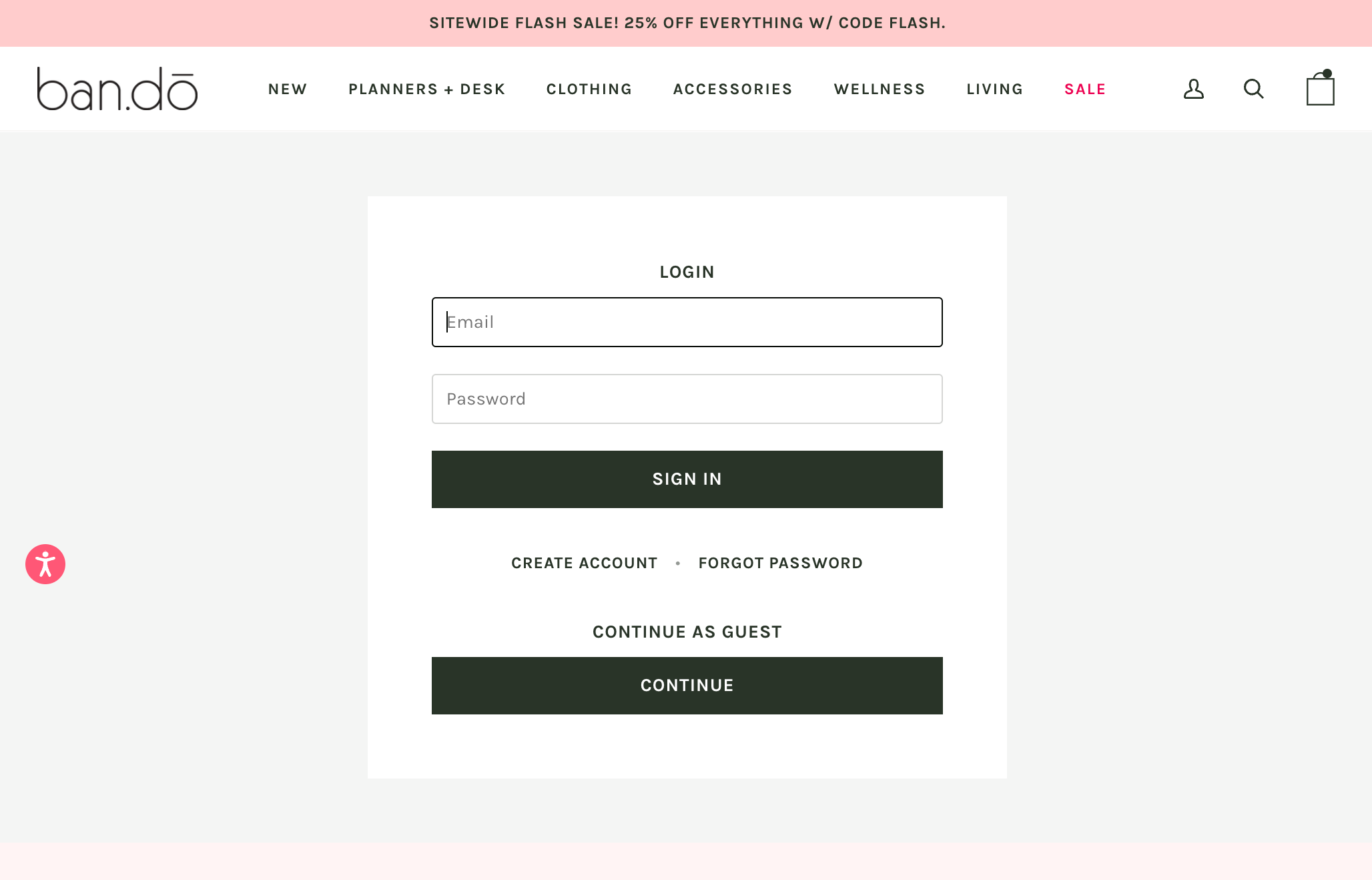
For instance, ban.do's checkout allows customers to check out as a guest, or create an account before purchase to simplify future shopping:
One common checkout best practice is setting up a system to recover abandoned carts. This happens when customers add items to their cart but leave without completing the purchase.
Platforms like Shopify allow you to send abandoned cart emails to nudge these customers back to your store, turning potential losses into sales.
Set up taxes
As a business that sells goods or services, you'll likely need to collect sales taxes. Exceptions might apply for digital goods in certain areas, or for small stores under a revenue threshold.
Adjust your store's settings to handle taxes appropriately, potentially varying the amount you collect by region. If you're unsure about your obligations, consult a tax professional.
Offer shipping
The checkout is also where customers will interact with your shipping and fulfillment options.
Develop a shipping strategy that accommodates your range of product weights and dimensions, and packaging costs, as well as popular shipping destinations and delivery options.
Consider enticing customers with free shipping, which you could offer on select products, minimum order values, or specific regions.
For stores selling products with consistent sizes and weights, flat-rate shipping may help keep shipping costs down. If your platform supports it, you can also charge carrier rates that adjust based on actual carrier pricing.
Local pickup options can also be a convenient alternative for nearby customers.
Give shoppers other ways to checkout
Expanding into sales channels beyond your online store helps you reach more interested customers. Once you launch your store, it's straightforward to add these channels:
- Social networks: You can sell products on Facebook, Instagram, TikTok, and other social networks where customers already spend time.
- Marketplaces. Many consumers begin browsing on marketplaces like Amazon and Etsy. To reach these shoppers, sync your inventory with marketplace listings.
- Google. Run Google Shopping campaigns and list your products in the Shopping tab of Google search results.
8. Make your store live

It's time to launch your online store! To make your site accessible to the public, you'll typically need to change your store's status to public or remove password protection that's been in place during development.
While your store might not feel perfect yet, it's important to get started. Launching—even if it's just a soft opening—allows you to begin gathering feedback from traffic passing through your site. Real-world testing is often the best way to reveal insights about your site's usability, such as the effectiveness of your navigation and checkout.
From this step onward, you'll be fine-tuning your design, adjusting settings, and evolving your marketing strategies based on actual customer interactions and data.
Before you hit the launch button, make sure you can check off every task in this ecommerce checklist.
9. Market your products and brand
Now that your store is up and running, it's time to spread the word and draw in shoppers.
Marketing is different for every business. Your strategy should involve a mix of creative content and marketing campaigns tailored to your brand and audience.
Leverage social media marketing
Social media marketing isn't about maintaining a presence on every platform out there. Instead, it's about making an impact where your target audience is most active. For example, if you're aiming to engage with Gen Z, TikTok is essential.
The best social media marketing content feels natural to users. Try to create content that isn't only promotional, but also valuable—think how-to videos, comedy skits, behind-the-scenes glimpses, or even livestreamed Q&A sessions.
Optimize for SEO
Many shoppers use Google to find stores, read product reviews, or compare similar items. SEO marketing makes your store discoverable when potential customers search online.
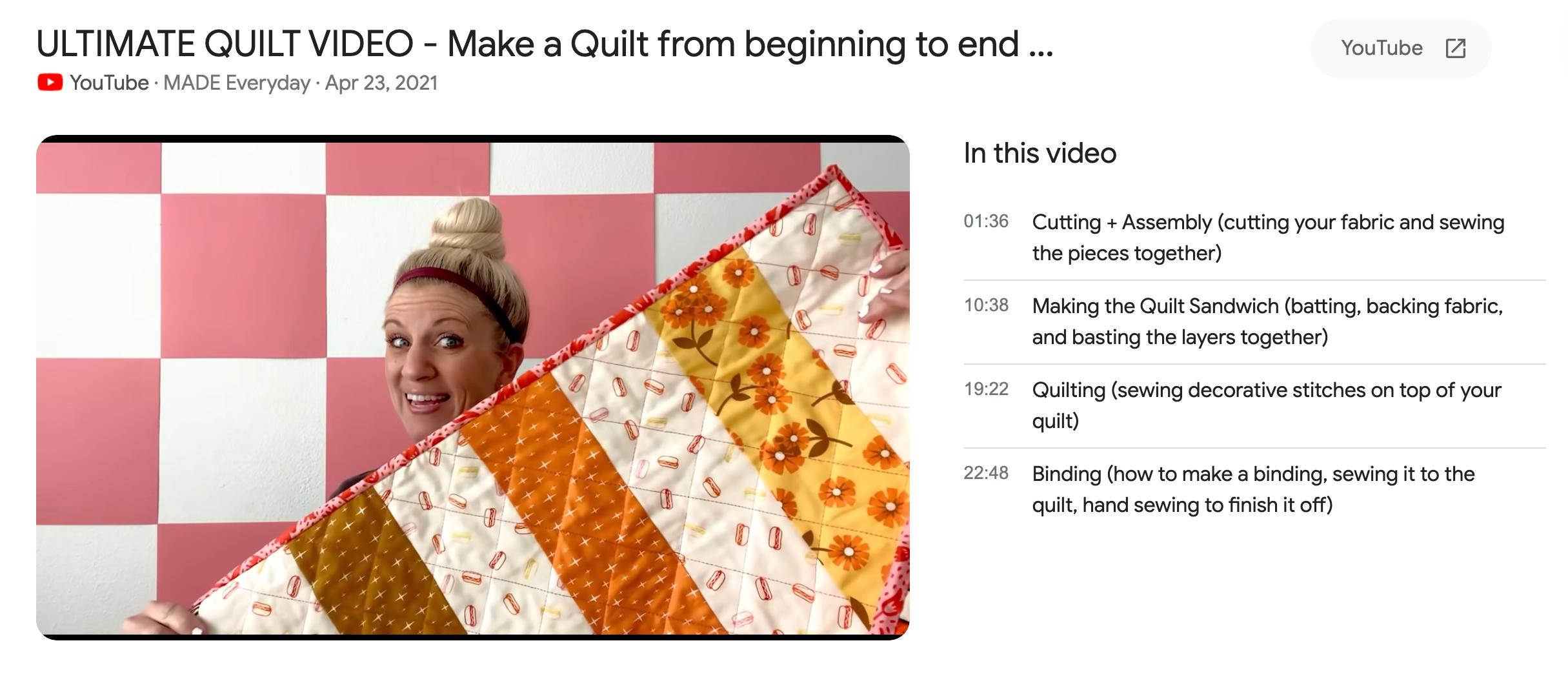
For example, MADE Everyday's YouTube video, above, attracts potential customers by appearing in Google and YouTube results for queries like "how to make a quilt," which are relevant to its product line.
To find search terms that your store might target with marketing content, use a free keyword research tool. Look for high-volume keywords that connect to your products.
Talk to shoppers via email
Email marketing is a channel suited to your customers and visitors to your store. Set up email flows to engage shoppers throughout their journey—from a welcome series to abandoned cart reminders and post-purchase follow-ups.
Consistent email communication keeps your brand top-of-mind, helping future campaigns land naturally.
10. Optimize your store
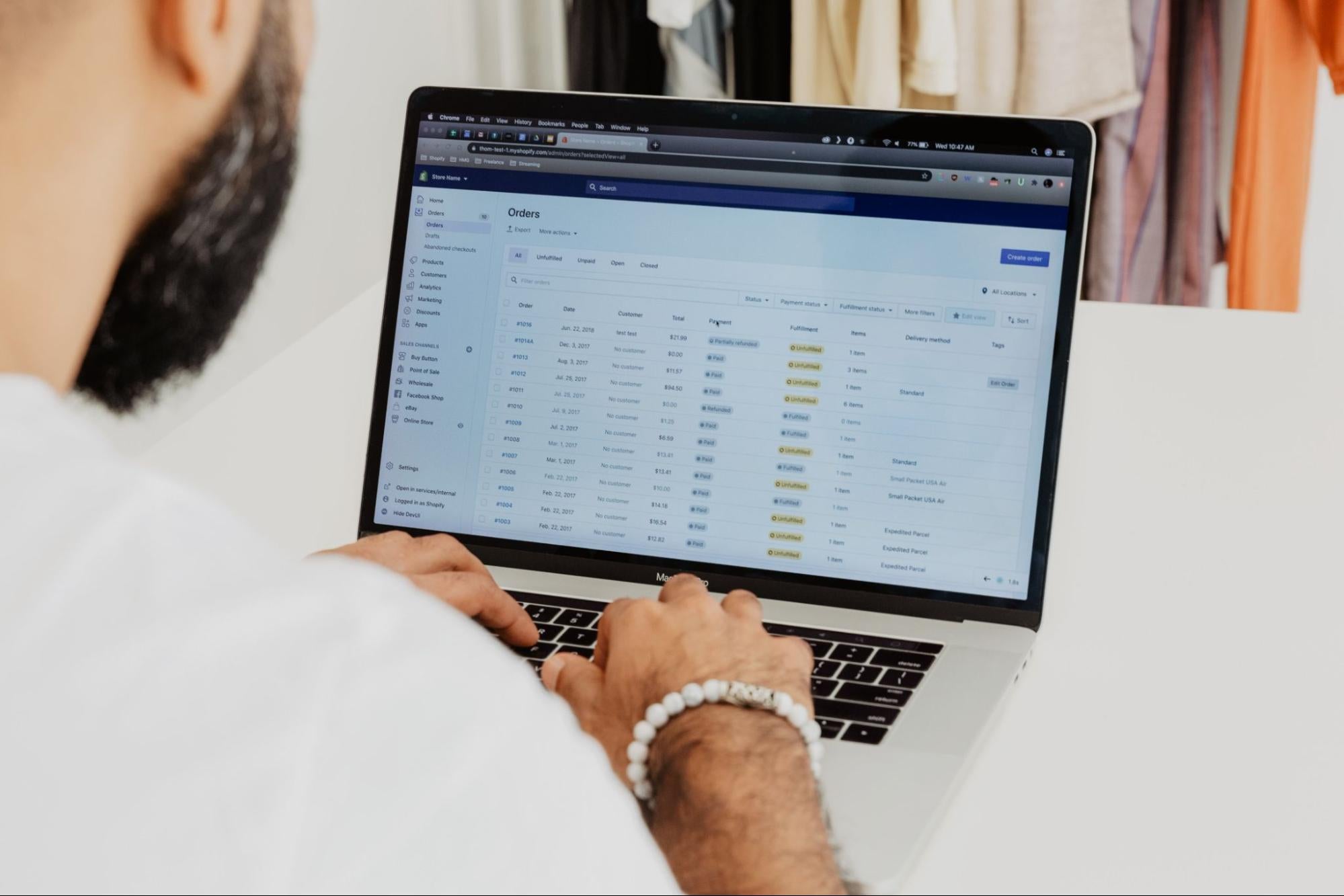
Building an online store is a continuous process. As customers visit your store and interact with content, you'll begin to see where content is working, and areas where improvements could be made.
Analytics are central to store optimization. The process of reviewing traffic and sales data, and refining your content in response, should become a regular part of your business strategy.
Look for insights from store data sources, including:
- Site traffic: Identify where your visitors are coming from—Google searches, social media posts, or ads? Understanding your traffic will help you tailor your store content and optimize marketing efforts.
- Product sales: Monitor which products are selling and which aren't. This will inform your inventory decisions, promotional strategies, and even product development.
- User behavior: Analyze how visitors interact with your store, including your most-visited pages and most engaging content. Can you improve your store's user experience to replicate your successes?
- Customer feedback: Regularly gather and review feedback. This direct input can tell you what customers appreciate and what they'd like to see improved.
Armed with information about how users are interacting with your content, you can make changes to enhance your conversion rate, turning more browsers into buyers.
Why start an online store in 2025?
The ecommerce landscape continues to evolve, making now an ideal time to launch your store. Consider these benefits of starting an online store:
- Lower startup costs: Unlike brick-and-mortar retail, you can start selling online with minimal investment—perfect for solopreneurs and side hustlers.
- Expanding market: Global ecommerce sales reached $6 trillion in 2024, with eMarketer research projecting continued growth to nearly $7 trillion by 2026.
- Powerful tools: Today's commerce platforms handle the technical heavy lifting, letting you focus on your products and customers.
- Flexible business models: From dropshipping to print-on-demand, you can start selling without holding inventory.
- Location independence: Run your business from anywhere with an internet connection.
Whether you're looking to build a full-time business or create a passive income stream, an online store gives you the freedom to sell on your terms.
How much does it really cost to start an online store in 2025?
Starting an online store is more affordable than opening a physical retail location, but there are still costs to consider. The average cost for opening a new online store is approximately $29 per month, but the cost can vary based on your investment in marketing, store features, and design support.
Essential startup costs
| Expense | Budget | Standard | Extensive |
|---|---|---|---|
| Ecommerce platform | $5/month (Shopify Starter) | $29/month (Shopify Basic) | $79/month (Shopify Grow) |
| Domain name | Free with annual plan | $14–$20/year | $50–$100/year (premium domains) |
| Website theme | Free AI themes | Free AI themes | $1,000+ (custom design) |
| Product photography | DIY with smartphone | DIY with AI | $500+ (professional photoshoot) |
| Initial inventory | $0 (dropshipping) | $0–$2,000 | $5,000+ |
| Apps and extensions | $0–$50/month | $0–$100/month | $100–$250/month |
| Marketing | $0 (organic only) | $0–$500/month | $1,000+/month |
| Business registration | $0 (sole proprietor) | $50–$100 (LLC filing fees vary by state) | $500+ (corporation) |
Ways to minimize startup costs
- Start with dropshipping or print-on-demand: Using a product sourcing app means no need to pay for inventory upfront.
- Use free themes and DIY photography: Shopify's AI store builder and free professional themes let you build a brand without spending.
- Focus on organic marketing: Build your presence on social media and optimize your store for search engines before investing in paid advertising.
- Reinvest profits: Many successful store owners start small and reinvest early profits to fund growth.
Understanding costs upfront helps you create a realistic budget. That way, you can avoid unexpected expenses that might derail your business.
Common mistakes to avoid when starting an online store
Learning from the mistakes of others can save you time, money, and frustration when starting your store. Here are the most common pitfalls to avoid:
Building without validating
Don't invest months building a perfect store for products nobody wants. Use product validation strategies to test your concept first.
Choosing an oversaturated niche
Competing directly with dozens of similar stores is an uphill battle. Find a unique angle or underserved niche market where you can stand out.
Neglecting mobile optimization
Around 59% of web sales come from mobile devices. If your store doesn't work perfectly on smartphones, you're losing sales. Choose a responsive store design and test it on multiple devices.
Unclear shipping policies
Hidden costs at checkout are a key reason for cart abandonment. Be transparent about shipping costs and delivery times from the start.
Ignoring legal requirements
Many new store owners overlook business registration, tax obligations, and industry regulations. Research the legal requirements for your business before launching.
Expecting overnight success
Building a profitable online store takes time. According to community discussions, one of the biggest mistakes is expecting immediate results. Focus on consistent improvement over months and years.
Making mistakes as a business owner is inevitable, so don't let errors stop your momentum. The key is to learn from past experiences, using them to help you figure out a better path.
Start a successful online store today
The best time to start your online store was yesterday. The second best time is right now.
Whether you're a crafter with handmade goods, a digital artist creating downloadable products, a retailer curating items from other brands, or a content creator designing merch, today's commerce platforms make it simpler than ever to start selling online.
Your ecommerce journey is a continuous evolution—you'll learn, adapt, and grow as you connect with customers and understand what they need.
From first-time sellers to global retailers, Shopify works for everyone. See plans and pricing.
Read more
- How to Start a Dropshipping Business- A Complete Playbook for 2024
- What is Shopify and How Does it Work?
- AliExpress Dropshipping- How to Dropship From AliExpress
- The 13 Best Dropshipping Suppliers in 2024
- How to Build a Business Website for Beginners
- How to Start an Online Boutique- A Complete Playbook
- 130+ Dropshipping Products To Sell for Profit
- Amazon Dropshipping Guide- How To Dropship on Amazon (2024)
- How to Start a Business in Texas- 8 Easy Steps
- A Guide to the Good Life- How to Start a Lifestyle Business


