



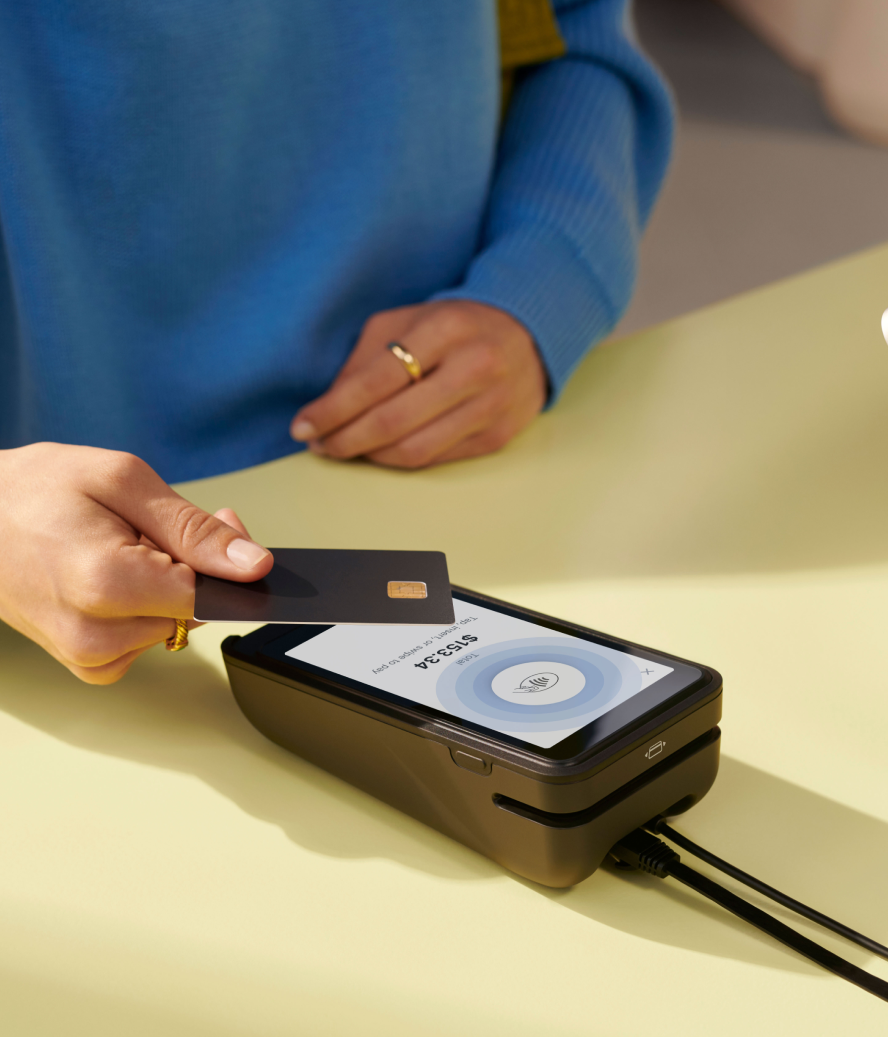

POS ecommerce integration connects in-store sales, online orders, returns, and inventory updates in one place. It accomplishes this by integrating the point-of-sale (POS) system that supports in-store sales with the platform that supports the retailer’s ecommerce operations.
Running retail across online and physical channels gets harder when the systems that support sales aren’t connected. When in-store inventory and ecommerce inventory are separate, a shopper in your online store won’t know an item that’s sold out online is in stock in your storefront nearby. Without connected customer profiles, your in-store associate can’t make recommendations based on a customer’s online order history.
Without a connection, teams rely on workarounds that slow checkout and create service inconsistencies. Elite Eleven had two sets of customer data and no single view of in-store and online inventory before adopting Shopify POS. After the switch, it unified in-store and online data through one dashboard, boosting in-store sales by 240% year over year.
This guide covers how POS ecommerce integration works and how to set it up with Shopify.
What is POS ecommerce integration?
POS ecommerce integration connects in-person point-of-sales (POS) systems with the technology supporting a retailer’s online store. It keeps customer, product, inventory, order, and payment data consistent across every channel. The integration ensures that when a brand makes a sale, their records update everywhere.
For example, if a customer buys an item in a physical shop, the system updates the online inventory count. The sync stops shoppers from buying stock that isn’t available.
Store owners manage these connections through software tools like connectors and APIs, or by using a platform with native integration, like Shopify.
Shopify POS is one example of a native ecommerce-integrated POS. With Shopify POS, sales, orders, and inventory sync with the Shopify admin across retail locations, the online store, and other active sales channels. It allows your store associates to see what your customers have purchased online, so they can recommend complementary products—not the same ones.
Native unified commerce vs. third-party POS connectors
Third-party connectors sync data between separate systems, such as a POS, ecommerce platform, and enterprise resource planning (ERP). Businesses use these connectors when they run legacy software that doesn’t natively connect for their in-store sales, their ecommerce platform, or both.
Brands use native unified commerce platforms to run online and offline sales from one underlying system. The configuration reduces manual tasks by consolidating inventory, orders, customers, and reporting into a single source of truth.
The following table compares these two integration approaches:
| Setup | How it works | Best for | Drawbacks |
|---|---|---|---|
| Third-party POS connector | Syncs data between separate systems | Retailers operating legacy systems | Sync delays and mapping errors |
| Native unified commerce | POS and online store run on one platform | Retailers wanting one source of truth for consistent data, operations, marketing, and customer service | Specialized workflows may need apps |
Shopify POS is a native solution. It works with the Shopify admin and online store without separate middleware for core commerce data.
French apparel brand From Future moved to Shopify POS to connect its 15 boutiques with its online store. Its previous POS system was separate, which made it difficult for the brand to get clear information on stock availability and complicated its returns process.
It used the native integration available on Shopify POS to eliminate the data gaps, and rolled it out to all locations within three months. The change helped them increase sales from omnichannel features by 10%.
Why POS ecommerce integration matters in 2026
POS ecommerce integration connects in-store and online selling activity so all commerce data lives in the same place.
Ecommerce is still growing. But that doesn’t mean traditional in-store shopping is going away. In fact, data from the US Census shows that while US customers spent $316.1 billion on ecommerce in the fourth quarter of 2025, that figure accounted for just 16.6% of total retail sales for the period.
For retailers who want to meet customers where they shop, that means both online and in-store. And as more retailers do both, customer expectations change accordingly. Today, customers may expect to browse online, buy in-store, and return by mail; or buy online, pickup in-store, and exchange at a different location.
When POS and ecommerce systems don’t share data, teams spend more time checking inventory, updating orders, matching reports, and fixing customer service issues. With these experiences, it may be hard for customers to feel like your online and brick-and-mortar stores are part of the same brand.
Shopify’s unified commerce platform centralizes key commerce data across POS and ecommerce. It provides business outcomes such as:
- Accurate inventory across channels
- Fewer manual updates for products and orders
- In-store access to online customer history
- Fulfillment options like buy online, pickup in-store (BOPIS)
- Consistent discounts and promotions
- Reporting across locations and channels
Prevent overselling with real-time inventory
Disconnected systems can cause overselling, stockouts, and canceled orders. IHL Group estimates inventory distortion costs global retailers $1.77 trillion annually due to poor inventory visibility.
For brands selling on multiple channels, inventory data is more complex. Retailers with stores, warehouses, and pop-up events need location-level inventory tracking. Real-time inventory sync is especially crucial during promotions and high-velocity product drops, when overselling can lead to a lot of dissatisfied customers who might not come back to your brand again.
Luggage brand Monos used Shopify POS to support real-time centralized inventory. This enabled their team to view local store inventory and hold products for pickup. They also added buy in-store, ship to customer workflows to give their customers more convenient options.
The move to Shopify allowed Monos to maintain ecommerce and POS operations with just one employee. They also grew revenue by 40% year over year in regions with physical store presence.
Build a single customer and order view
Integration gives store associates valuable information about customers and their transaction history at checkout.
Shopify’s customer profile feature stores contact information, purchase history, and preferences. Retail associates use the data to answer questions, support loyalty programs, and handle follow-up service across channels.
With Shopify POS, Good American supported physical retail while syncing sales, customer, and inventory data. They processed thousands of in-store orders and reported a 91.69 Net Promoter Score (NPS).
Reduce operational drag and manual reconciliation
Customers aren’t the only ones who benefit from POS ecommerce integration. Store owners integrate POS and ecommerce to reduce duplicate work across their retail operations. Manual data entry and reconciliation can create errors and slow teams when each system holds a different version of the same data.
According to an analysis of 3,800 businesses, companies using Shopify POS experience a 22% lower total cost of ownership (TCO) and a 20% faster implementation time. These businesses also saw an 8.9% equivalent uplift in sales.
Nutrition Warehouse moved from a fragmented combination of Magento and Retail Express to unified commerce on Shopify. Its previous systems operated in silos, requiring manual workarounds like calling customer service to verify online gift cards in-store. Inventory updates also faced 15-minute delays due to batch processing.
It onboarded 121 stores in six months and trained 600 staff in three months. Staff training time dropped from a full day to 15 minutes. Their transition to a unified platform provided the following results:
- Reduction in data consolidation time by 15%
- Generation of $100,000 in incremental event sales via mobile POS
- Integration of real-time price matching via custom POS tiles
How POS ecommerce integration works
POS ecommerce integration simplifies retail operations with a system that works the same regardless of where the purchase is made. The process follows the same basic flow whenever a customer buys online or in-store:
- A customer places an order through an ecommerce checkout or in-store POS.
- The commerce system records the order with the product, payment, customer, and location details.
- Inventory updates by stock keeping unit (SKU) and location.
- The unified customer profile and order history update.
- Fulfillment, returns, reporting, and marketing tools use the updated order record.
Returns and exchanges follow the same connected record. When a customer returns an item, the system ties the return to the original order and updates inventory based on the return location and item condition.
When a customer exchanges an item, the system records the returned item, the replacement item, any price difference, and the updated inventory count. Accurate return records also update inventory immediately, so staff and online shoppers see correct stock without a manual correction step.
Sync speed is key to these workflows because staff and customers act on the same product record. A slow sync can leave an online shopper seeing inventory that an in-store customer already bought, or a store associate missing order history for a return.
Faster syncing keeps product availability, customer records, and analytics data aligned across each sales channel.
What data should sync between POS and ecommerce?
Syncing data between a point-of-sale system and an online store keeps information accurate across all sales channels. Use this checklist to determine which categories to connect:
| Data type | What to sync |
|---|---|
| Product catalog | SKUs, variants, titles, descriptions, images, barcodes |
| Inventory | Quantity, location, transfers, adjustments |
| Orders | Online orders, in-store purchases, refunds, exchanges |
| Customers | Contact details, preferences, purchase history, loyalty program status |
| Discounts | Codes, automatic discounts, manual discounts |
| Reporting | Sales, average order value (AOV), customer lifetime value (CLV), products, staff, payment types |
Key features to look for in a POS ecommerce integration
Before choosing a POS ecommerce integration, compare how each option handles shared data and connections to other business systems.
Ask the provider to explain which features work in each channel, which features vary by plan, and what staff can do during an internet outage.
Use this checklist to compare some of the most important ecommerce and POS features:
- Native ecommerce and POS connection. Confirm that the POS and online store share core data, including products, customers, inventory, and orders.
- Central inventory by location. Check whether staff can view and manage store, warehouse, event, and online inventory in one place.
- Unified order management. Make sure staff can view, refund, exchange, and support online and in-store orders from the POS.
- Customer profiles. Check whether store teams can see contact details, preferences, loyalty status, and purchase history.
- Omnichannel fulfillment. Compare support for pickup in-store, ship from store, ship to customer, and mixed-cart workflows.
- Promotions and discounts. Confirm discounts work consistently in the channels where retailers choose to make them available.
- Unified reporting. Look for reports that show sales, products, staff performance, and order trends.
- Hardware and device compatibility. Check whether the POS works with supported tablets, phones, card readers, printers, scanners, and cash drawers.
- Offline contingency. Confirm which selling tasks still work if internet access drops.
- Connections to other systems. Check whether the POS can connect to ERP, warehouse management systems (WMS), accounting, loyalty, or custom apps.
Shopify POS supports customer profiles, order management, inventory management, POS analytics, discounts, and offline selling workflows, with some features varying by plan or configuration.
Common POS ecommerce integration challenges and how to solve them
Integration problems often originate from the same sources: issues with compatibility, security, and weak staff adoption. Store owners can use this table to anticipate potential issues and plan prelaunch testing:
| Challenge | Why it happens | How to solve it |
|---|---|---|
| Product data mismatch | SKUs or prices differ across systems | Clean catalog data before launch |
| Inventory lag | Systems delay sync or fail to track location-level stock | Use real-time sync and location-level inventory |
| Returns and exchanges | Staff can’t see online orders in-store | Use unified order history |
| Staff adoption | New workflows are unfamiliar; permissions may be set up incorrectly | Pilot, train, and check/simplify permissions |
| Discount conflicts | Rules exist in separate systems | Centralize discount setup |
| Hardware and internet issues | Staff hasn’t tested devices or Wi-Fi | Test hardware and offline procedures |
Shopify POS requires an internet connection to sync with the Shopify admin, send receipts by email, and process card payments.
Cash and manual payment workflows are available offline, but retailers still need to test how staff will handle receipts, card payments, and order updates when the connection drops.
How to set up POS ecommerce integration with Shopify
Use this setup sequence to get your ecommerce and POS integration up and running:
- Audit current systems. List your existing POS, ecommerce platform, ERP, inventory management system (IMS), payment provider, loyalty tools, and reporting systems. Review which systems are connected, which aren’t, and which should be.
- Clean product and inventory data. Standardize SKUs, variants, barcodes, product images, prices, tax settings, and inventory locations.
- Set up Shopify POS and locations. Configure store locations, staff permissions, product availability, payments, and devices.
- Configure core workflows. Test in-store purchases, online order lookups, returns, exchanges, shipping, discounts, inventory adjustments, and receipt workflows.
- Train staff with real scenarios. Build training around common store tasks, such as finding an online order or checking stock at another location.
- Pilot before scaling. Start with one store, pop-up, event, or limited product group if the rollout is complex.
- Monitor and optimize. Review sync delays, staff questions, and reporting accuracy after launch.
Shopify POS setup is simple: All you need is a supported device, the Shopify POS app, a Shopify store, and a product to sell.
POS ecommerce integration FAQ
What’s the difference between ecommerce POS integration and unified commerce?
Ecommerce POS system integration connects separate systems. The unified commerce retail model runs online and offline sales from one commerce platform and a shared data foundation. Shopify POS and Shopify ecommerce operate through the Shopify admin, for example.
Why is real-time POS and ecommerce sync important?
Real-time sync ensures inventory levels update across all channels the moment a transaction occurs. It prevents overselling by removing stock from online availability as soon as an in-store customer buys it.
Can a POS ecommerce integration support returns and exchanges across channels?
Staff can handle online and in-store returns when they access unified order history and customer records from the POS. A retail POS system like Shopify POS supports both online and in-person orders and handles refunds and exchanges.
How long does Shopify POS ecommerce integration take to set up?
Shopify POS works with your Shopify online store in a unified back office, so if your ecommerce store is already on Shopify, the integration is part of the same setup.
If you already have your Shopify store set up, setting up the Shopify POS app itself can take about 30 minutes. If you’re also waiting on hardware and getting ready to sell in person, Shopify’s migration checklist estimates about two more hours of preparation after the hardware arrives.
Do retailers still need third-party apps or ERPs with Shopify POS?
Native POS and ecommerce handle core commerce data, while apps, APIs, or ERPs support specialized workflows. Shopify POS includes a library of apps and APIs, and retailers on Shopify Plus use the Global ERP Program to connect their systems.


