

 Shopify blog

Opening a retail store can be an exciting step for any business—but when it comes to choosing a location to sell goods in person, there’s a lot to consider. From a traditional brick-and-mortar store to mall space, the best retail location is in a high-traffic area where your target customers are known to shop.
With retail space costing an average of $21.95 per square foot, choosing the wrong location could lead to low foot traffic and overhead costs that eat away at your profits.
This guide covers how to choose the ideal retail location, with tips for maximizing space and improving your retail operation.
The importance of retail location
Customer access and foot traffic
A location with steady foot traffic puts your store in front of more potential customers. Despite the popularity of online shopping, ICSC’s 2025 Back-to-School Consumer Survey found that 59% of respondents expected to buy most of their items in physical stores, up from 54% in 2024.
But traffic volume alone does not determine whether a site will perform well—the people passing the store also need to align with your target demographic. Be sure to choose a site located where those potential customers already live, work, and spend time.
Plus, there are strategies to help increase the percentage of people who decide to stop in your store: An attractive window display, for instance, can draw in passersby who otherwise wouldn’t be thinking of visiting.
Community fit
A store’s location also influences how easily it connects with the customers and businesses around it. A 2025 SurePayroll survey found that 84% of respondents considered small businesses vital to their communities.
Bandit Running, for example, hosts weekly group runs that bring 100 to 150 people to its store. “We’ve got, like, 100 to 150 folks every Saturday who come to the store and do an easy three to five miles,” says Tim West, founder and creative director at Bandit Running on an episode of Shopify Masters. “We know that if we take this community-first strategy, and we really make it a hub for people in that community, we can have a really unique model from a retail standpoint.” The events bring local runners together while introducing more people to the store and the brand.
Downtown areas with independent retailers can create more opportunities for local events and partnerships than isolated locations.
Fulfillment and inventory
A retail location isn’t just a space to meet new customers, you can also use the stockroom inside your new location as a storage and fulfillment hub. ICSC’s 2025 Holiday Shopping Intentions Survey found that 52% of consumers planned to use the buy online, pickup in-store (BOPIS) option for their purchases.
It’s important to keep in mind that your location can affect how easily inventory moves in and out. Supplier deliveries may be harder in busy malls with shared unloading bays and limited storage space, for instance. BOPIS also works best when the store is located somewhere customers can easily visit during their usual routines.
How to choose a retail location
- Define your brand’s spatial needs and budget
- Research your target customer and trade area
- Analyze foot traffic and accessibility
- Compare competitors and complementary businesses
- Understand zoning laws and regulations
- Evaluate the physical space and lease terms
- Test the location with a pop-up shop
1. Define your brand’s spatial needs and budget
Set a maximum occupancy budget before visiting properties. Occupancy costs may include base rent, common area fees, property taxes, and insurance. Occupancy cost ratio compares overhead expenses with store sales:
Occupancy cost ratio = total occupancy costs / store sales x 100
Acceptable ratios vary by retail category, margins, and sales volume. Sales per square foot, for instance, can help estimate how much selling space the store needs:
Sales per square foot = net store sales / selling area
While your total rent will also include any additional storage and packing area, for the sake of this calculation, use only the actual retail space for the “selling area.”
From here, use your business projections to negotiate with landlords and demonstrate your viability. As an alternative, you could also look into pop-ups and shared retail spaces, which give you more flexibility while you establish your business.
2. Research your target customer and trade area
Choose a location near where your target customers live, work, or shop. Start by defining the store’s trade area, or where most customers are likely to travel from.
Use customer addresses when available. For a new store, estimate the area by distance or drive time. Then compare local income and population data with your target customer profile.
Look for signs that your customers already spend time nearby. Placer.ai found that 28% of Dollar General visitors in Q1 2026 lived within one mile of the store. Nearby demand can make a location easier for customers to visit regularly.
A primary trade area supplies the largest share of customers. Secondary and tertiary areas include people who travel farther or visit less often.
3. Analyze foot traffic and accessibility
Foot traffic analytics can estimate visits to a location, identify peak hours, and compare activity at nearby stores. Platforms such as Placer.ai can help provide this info—they use aggregated mobile location data that removes personal identifiers before analysis.
National data provides context, but local traffic is more relevant to an individual address. One helpful strategy is to visit each site yourself at different times and compare the reported data with pedestrian activity, parking, road access, and public transit.
Accessibility is also an important consideration: it affects whether customers can enter and move through the space. Under ADA Title III, businesses open to the public must provide equal access. The rules cover accessible routes, parking, entrances, and barriers inside the store.
4. Compare competitors and complementary businesses
The mix of businesses in any shopping area affects why people visit and what they do while they are there. ICSC, in its January 2026 survey, found that 75% of holiday shoppers visited a mall or shopping center. While they were primarily there to shop, many also dined or took part in entertainment during the same visit.
Evaluate nearby businesses in two groups:
- Complementary businesses. Do they attract the same target customer without selling the same products?
- Direct competitors. Do they confirm local demand or create too much overlap?
Complementary businesses (such as a neighboring café or service business) encourage customers to spend more time in the area, without competing for the same purchase. For example, comic book store Revenge Of opened near the popular café Destroyer in Los Angeles, which meant visitors could easily move between the two locations in the same visit.
“Hopefully it keeps people around,” says Jeff Eyser, co-founder of Revenge Of. “They can go next door, grab a coffee, hang out, come back, spend more money, do whatever. It’s creating its own little community hub where people can bounce between the two locations and stay longer
While considering neighboring businesses, also review planned openings, store closures, and redevelopment projects that may change traffic in the area. JLL reported a 4.4% US retail vacancy rate in the first quarter of 2026, with little new space under construction. Low vacancy may limit alternative sites and give landlords more leverage during negotiations.
5. Understand zoning laws and regulations
Zoning rules determine which businesses can operate at a property. Before choosing a location and signing a lease, confirm that your planned retail activity is permitted.
How to assess:
- Review planned developments or zoning changes that could affect the location.
- Check for signage rules, limits on operating hours, and any special permit requirements.
- List the other permits needed to open, such as a sales tax permit or health permit.
Zoning and permit requirements vary by location. This information is for general purposes and does not constitute legal advice. Confirm the requirements with the local planning agency or a qualified legal professional.
6. Evaluate the physical space and lease terms
When you find a retail location you like, it’s time to take a closer look at the building and the contract. Here are the different elements to consider:
- Understand the lease. A triple-net lease requires the tenant to pay base rent plus common area maintenance, property taxes, and insurance. A gross lease includes these costs in the rent.
- Check for percentage rent. Some leases require you to pay a percentage of your sales to the landlord once you reach a specific sales threshold. This goal is called the break point. Make sure you understand how it’s calculated.
- Negotiate the fit-out. This is where you negotiate the details of your tenant improvement (TI) allowance. Be clear about what work needs to be done and what the landlord will pay for before you sign anything.
- Evaluate the landlord and property manager. Ask current tenants about maintenance and response times. Confirm who handles repairs, security, and shared areas before signing.
Review the space for daily operations:
- Delivery access. Can suppliers reach the store without disrupting customers?
- Unloading area. Is there a dedicated loading zone or shared access?
- Stockroom capacity. Is there enough space for inventory and packing?
- Utilities. Can the electrical, internet, and HVAC systems handle the business?
- Waste removal. Where are trash and recycling stored and collected?
7. Test the location with a pop-up shop
If you’re still not 100% sure about your location, consider a short-term option, such as:
- Food trucks
- Pop-up shops
- Shop in shops
- Gallery exhibitions
- Local markets or fairs
A temporary store allows you to test out a retail location before committing to a long-term lease. For one, it reveals if a neighborhood generates sales. It also gives the retailer direct feedback on the space, customer behavior, and brand experience.
“Our pop-ups were kind of test dummies for what location would work and what kind of vibe would work,” says Allegra Shaw, co-founder of Uncle Studios, on an episode of Shopify Masters. “You get to talk to the customer, learn about them in real life, and see how they interact with the brand and your product.” Use the test to learn which products attract attention and how customers move through the store, before signing a longer lease.
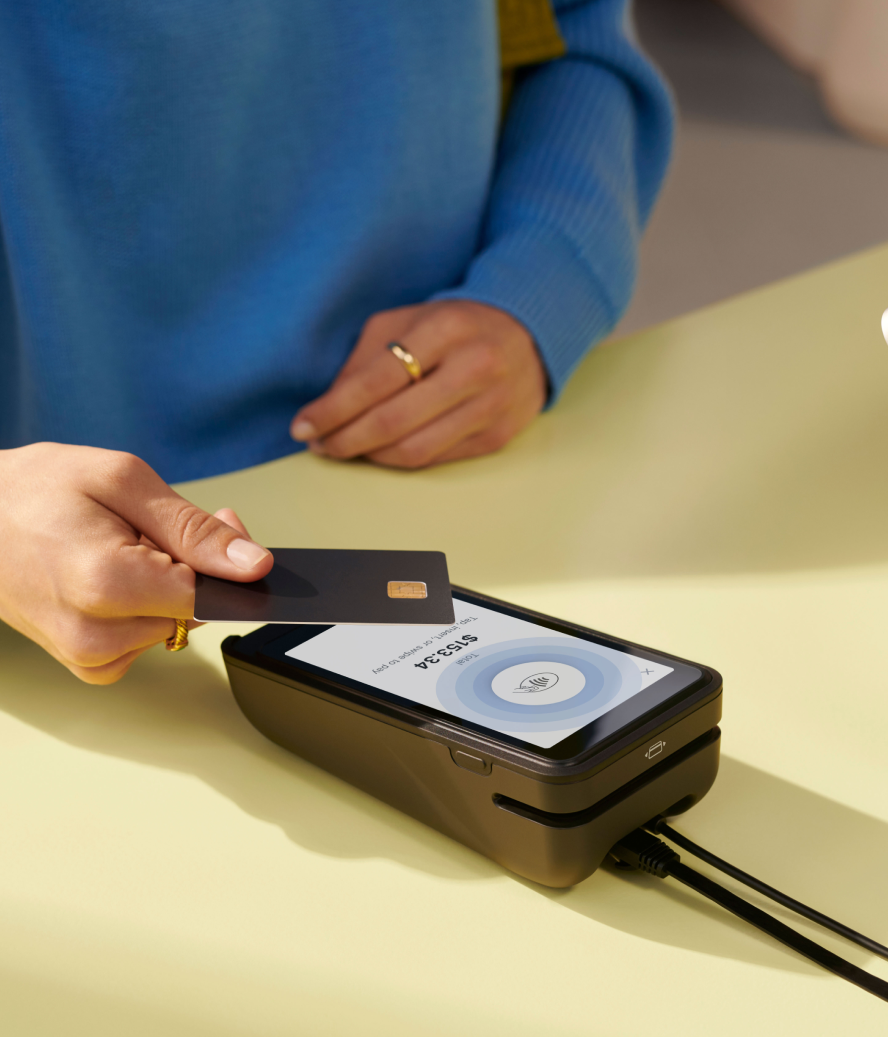
Shopify POS is the fastest way to accept in-person payments, sell at events, or open a pop-up shop. Download the Shopify POS app onto any smartphone or tablet and rent a mobile card reader to start selling in any type of location.
Compare common types of retail locations
Judge each option against how customers shop and how inventory moves through the business.
Brick-and-mortar
A freestanding store gives the retailer control over the premises and customer experience.
Pros
- Rent may be lower outside major shopping areas.
- Parking and delivery access may be easier.
- The store can include more selling and storage space.
Cons
- The business must generate its own traffic.
- Local zoning rules may restrict retail use.
- Marketing and signage costs may be higher.
Mall space
Malls place stores near a large number of shoppers and established retail brands.
Pros
- Existing foot traffic can bring in new customers.
- Mall-wide promotions can increase visits.
- Security and shared facilities are often included.
Cons
- Rent and operating fees can be high.
- Competitors may operate in the same building.
- Shared loading areas can complicate fulfillment.
Shopping center
Shopping centers group several stores and service businesses in one area.
Pros
- Nearby tenants can help generate regular traffic.
- Parking is usually available on site.
- Ground-level stores can work well for pickup orders.
Cons
- There may be additional maintenance and security fees.
- Busy periods can reduce parking availability.
- Customer traffic depends on the tenant mix.
Business park
Business parks offer larger units away from traditional shopping districts.
Pros
- Units often provide more room for inventory.
- Parking and delivery access are usually available.
- Rent per square foot may be lower.
Cons
- Customers may need to make a dedicated trip.
- Walk-in traffic is often limited.
- Public transportation may be less available.
Downtown or main street
These locations place stores near local businesses, residents, and community activity.
Pros
- Pedestrian and vehicle traffic can increase visibility.
- Community events can bring more people into the area.
- Nearby independent businesses may attract similar customers.
Cons
- Central locations can carry higher rents.
- Parking and unloading space may be limited.
- Historic districts may restrict signs or renovations.
Home-based
A home-based retail business can reduce costs while the owner tests local demand.
Pros
- There is no separate storefront rent.
- The owner has more control over operating hours.
- The space can work for small inventories or scheduled pickup.
Cons
- Local rules or a lease may prohibit retail activity.
- Customer visits can expose a private address.
- Storage space can become limited as sales grow.
Retail location analysis checklist
Retail location analysis looks at demographic, traffic, property, and sales data to assess potential store sites. Store owners can use the same data after opening to review each location’s performance.
Occupancy cost ratio (OCR) compares rent and related property expenses with projected store sales. CBRE reported that average US retail asking rent rose 2.4% year over year in Q1 2026, reaching $24.59 per square foot.
Use the following list of factors to analyze a potential retail location:
Retail location analysis tools and data sources
Retail location analysis tools bring customer, property, traffic, and operating data into the site-selection process. Retailers can use the data to compare locations before leasing, and track each store after opening.
Free public data sources
- American Community Survey (ACS). Population, income, education, housing by census tract/ZIP/county for trade-area sizing and customer fit.
- Census Business Builder (CBB). Point-and-click site-selection app that bundles local resident and business counts for markets.
- BLS Local Area Unemployment Statistics (LAUS). Local employment and unemployment data by metro area, county, and city.
- Census Monthly Retail Trade (MARTS/MRTS). National monthly sales and inventory data for comparing retail category performance.
- National Zoning Atlas. A fast, map-based snapshot of local zoning rules across thousands of US jurisdictions.
- US Small Business Administration guide to pick your business location. Official government guide with tips around navigating local taxes, zoning laws, and business ordinances.
Foot traffic and location analytics
- Placer.ai. A location analytics platform that provides foot traffic data to help analyze and benchmark consumer behavior at physical properties.
- CBRE US retail figures. Provides real estate data (like availability and rent trends) used to make property comparisons and set lease expectations.
When to use retail location analysis software
Free public data covers customer demographics, labor conditions, zoning, and national retail trends. It may be sufficient when comparing a few sites in a familiar area.
Whereas dedicated software is useful when the analysis requires property-level visits, trade areas, or comparisons with nearby locations. Placer.ai, for example, measures visits to individual properties, and maps where their visitors come from.
Measuring performance after opening
Location-level reporting helps retailers compare store sales with traffic and conversion. Use Shopify POS retail sales reports to compare total sales across locations and find stores performing below plan.
Then review sales by product or SKU to identify what sells at each store. Move inventory toward stronger locations, reduce orders for slower products, or adjust each store’s assortment.
These reports help compare store results with other sales channels. Kenny Flowers built custom reports to track when traffic was strongest and how the location was performing.
“We created custom reports that show us exactly how our Charleston store is performing compared to our other sales channels,” says Kenny Haisfield, founder and CEO at Kenny Flowers. “This visibility helps us monitor sweet spots in store traffic, determine optimal staffing levels, and make data-driven decisions about everything from inventory to store hours.”
Using your retail location for omnichannel fulfillment
A retail store can also fulfill online orders with an omnichannel strategy. Depending on its location and layout, it can serve several roles:
- Showroom. Display space and ship-to-customer checkout.
- Pickup point. Order staging and easy customer access.
- Local delivery hub. Packing space and defined delivery area.
- Inventory location. Stockroom capacity and carrier access.
Use Shopify POS to sync orders and inventory across retail locations and the online store. Shopify tracks stock separately at each location and can route orders based on inventory availability or proximity. Customer profiles keep purchase history and shipping information available to staff.
Plan by location
Plan inventory around the demand and fulfillment workload at each store. A pickup-heavy location may need more stock of frequently ordered products, while slower items can remain at a warehouse.
Deloitte’s 2025 Holiday Retail Survey found that US shoppers planned to spend 56% of their retail holiday budgets online and 44% in stores. Each location may need to handle both walk-in sales and online orders.
You can use Shopify retail sales reports to compare sales by location, product, and SKU. Inventory reports show units sold and sell-through. Use the results to adjust location quantities, then move products between stores with inventory transfers.
Shared inventory data helps store staff find products that are unavailable at their current location. The clothing brand Alex Mill, for instance, uses Shopify POS to check stock in real time across its retail network while helping a customer.
“We’ve rolled out handheld devices so, as they’re working with a customer on the floor, they can find something in another location and make sure the customer gets it,” says Roxanne Stahl O’Hara, CEO at Alex Mill. This approach means staff can complete the sale without asking the customer to search another store or return later.
Offer pickup, delivery, and endless aisle options
Each fulfillment option has different site requirements:
- Pickup and curbside. Reserve space for prepared orders and provide a clear handoff point.
- Local delivery. Set a delivery area and provide room for packing orders.
- Endless aisle. Give staff access to inventory across locations and a way to ship unavailable products.
Shopify’s pickup in-store option lets customers select a retail location at checkout. Local delivery can be activated for each location and limited by distance or postal code. Staff can also ship an in-store order to the customer. On POS Pro, they can email the customer a cart for online checkout.
Retail location FAQ
What is retail site selection?
Retail site selection is the process of choosing where to open a store. It compares each site based on customer demand, cost, access, and operating needs.
What is an example of a retail location?
A downtown storefront is one example of a retail location. It can give a store visibility and place it near businesses that attract similar customers.
How important is location in retail?
The location of your retail store determines how easy it is for customers to find your business. It can also impact the amount of foot traffic your store receives, its visibility in search results, and how easily it can be found.
How do I choose a retail location?
- Research the area.
- Consider visibility.
- Analyze the rental cost.
- Look for amenities.
- Consider the future.
What data should you use in retail location analysis?
Start with local customer data, foot traffic, rent, and zoning. After opening, track sales and inventory by location to see how the store performs.

